Introduction to Minecraft Chunks
Minecraft is a world of endless possibilities, where creativity knows no bounds. But as you explore this vast landscape, you may encounter a frustrating issue: chunks not loading properly. This can lead to laggy gameplay and even invisible blocks, disrupting your adventure. Whether you’re building the ultimate fortress or mining for diamonds, having smooth performance is crucial.
Many players face these problems at some point. The good news? There’s a simple fix that can refresh those stubborn chunks and improve your gaming experience significantly. In this guide, we’ll walk you through how to refresh chunks in Minecraft—your secret weapon against lag and visual glitches! Let’s dive into the world of Minecraft chunks and discover how to keep your adventures seamless and enjoyable.
Why Do Chunks Need Refreshing?
Chunks in Minecraft are the basic building blocks of the world in the game. Chunks ensure the efficient rendering and loading of the terrain in the game world. Nevertheless, over time, chunks have been a challenge in the game.
Environmental changes or drastic changes in the activities of the player in the game world could cause visual glitches in the game. For instance, there is the possibility of having invisible blocks in the game world, causing frustrating moments in the gameplay experience. This is mainly due to the way the game handles the information in the dynamic world of the game.
When the server is overloaded or the device is having problems rendering the performance of the game, the loading of the chunks is likely to fail. This causes frustrating moments for the player in the gameplay experience.
The refreshing of the chunks in the game world helps the game re-evaluate the world and render the gameplay experience efficiently. This helps to clear the rendering glitches in the gameplay experience while improving the frame rates through the recalibration of the world in the game.
Step-by-Step Guide to Refreshing Chunks
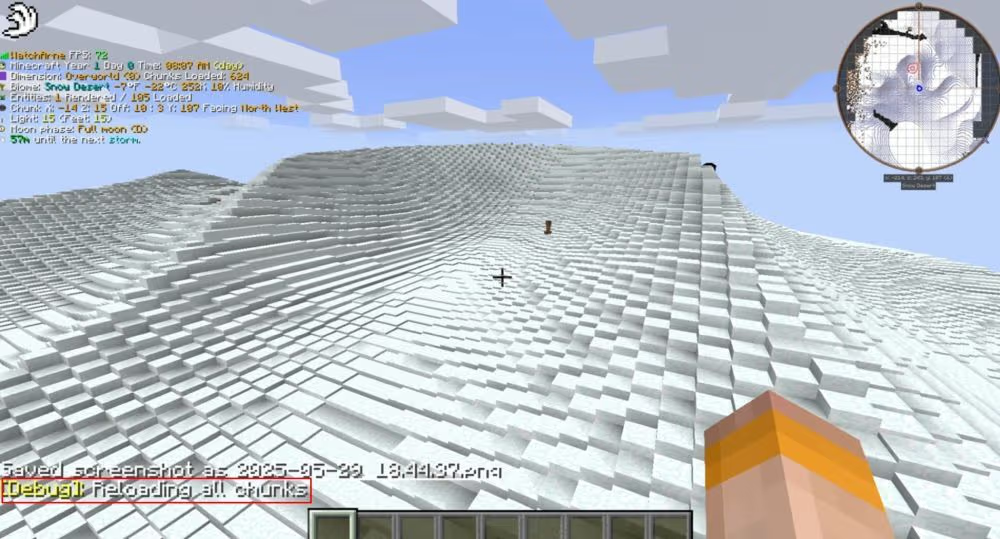
Refreshing your chunks in Minecraft is a simple process, and it greatly enhances your game experience. First, you need to press F3 + A if you are using the Java Edition of the game on your keyboard. This will refresh your chunks, and you will be able to solve all your visual glitches.
If you are using the Bedrock Edition of the game, you will need to exit your game and then go back into your world or change game modes, and this will refresh your chunks for you.
This is a quick fix for players who are having trouble with issues such as invisible blocks and lagging chunks in their game.
You should also check if your game settings offer any options for game performance, as changing your render distance will greatly improve your chunk loading experience, as it will reduce the load on your computer when you are exploring your game’s expansive landscape.
Common Issues Resolved by Refreshing Chunks
Refreshing the chunks in Minecraft is useful for addressing various frustrating problems that occur during gameplay.
The first frustrating issue is the notorious lag spike that is experienced when entering a new area in the game. By refreshing the chunks, the lag is eliminated, and the gameplay is smooth.
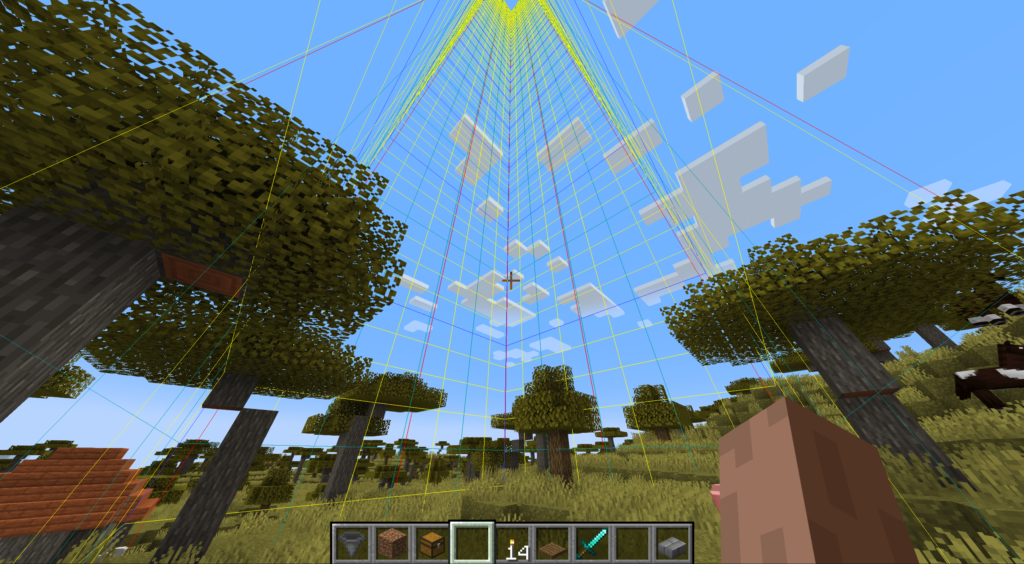
The second frustrating issue is the visual glitches that occur in the game, causing invisible blocks and floating objects. This is frustrating, especially when it occurs during a critical time in the gameplay experience. By refreshing the chunks, the glitches are eliminated, and the gameplay is smooth.
The third frustrating issue is the delayed loading time that is experienced when playing in a multiplayer server, especially when the structures were built by other players. By refreshing the chunks, the structures will load properly, ensuring that the gameplay experience is smooth.
If the biomes are not loading properly, or the resources are missing in the surroundings, refreshing the chunks is an efficient way of addressing the issue and restoring balance to the surroundings.
You can also read about;Real ID Cost in Oklahoma
Other Tips for Improving Minecraft Performance
There is much more to improving your Minecraft experience than simply refreshing chunks. There are a few changes that can be made to improve performance.
The first is to reduce your graphics settings. This will improve FPS by quite a bit.
The next is to increase the RAM for your game if you play on PC. This will improve how well your game handles large worlds and prevent lag during key moments.
Also, it is important to have the latest version of Java to get the best performance out of your game. This is because an outdated version will have issues that will cause it to lag.
Using performance resource packs instead of high-resolution ones will improve performance without compromising on looks.
It is important to close other applications when playing Minecraft. This will improve how well it is run, allowing it to be less interrupted by other applications.
Conclusion
Refreshing chunks in Minecraft can be a game-changer. It enhances both performance and visual clarity, making your adventures more enjoyable.
By knowing the right methods to refresh chunks, you tackle issues like lag and invisible blocks effectively. Whether you’re playing on Java or Bedrock, these techniques are essential for smooth gameplay.
Implementing simple fixes not only improves your experience but also keeps frustration at bay. The world of Minecraft is vast and full of surprises; don’t let technical glitches hold you back from exploration.
With every chunk refreshed, new possibilities open up before you. Dive deeper into those mines or build that castle without interruptions—enjoy every pixel!
FAQs
What is the meaning of the term ‘chunks’ in the context of the Minecraft world, and why is it significant?
Chunks represent a block region of the world, sized at 16×16 blocks, and loading occurs when the player is exploring the world. Chunks are significant in terms of the smooth experience of the gameplay, considering the memory aspect.
How do I solve the issue of lagging chunks in the Minecraft world?
This will solve the issue of lagging in the gameplay.
Is it possible to refresh the chunks in the Java and Bedrock versions of the game?
Yes, the techniques of refreshing the chunks are applicable to both versions of the game, although the commands used in each version will vary slight.
Are there mods available to help with better chunk management?
Yes, there are mods available that help in efficient chunk loading in the Minecraft Java Edition.
Can it be avoided completely?
It is not possible to completely avoid the problem of lagging or invisible blocks. However, it is possible to avoid such issues to a large extent by following the best practices, such as keeping the render distance small and maintaining a stable internet connection.